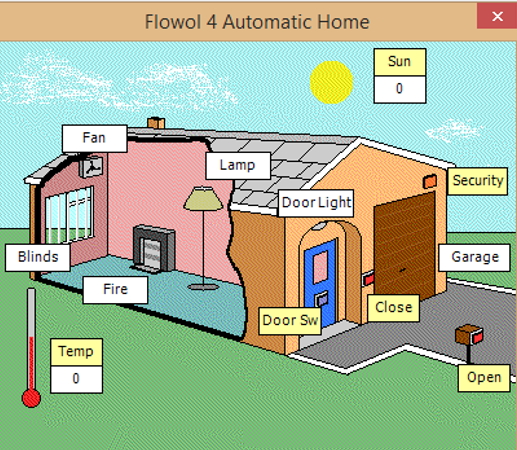
Software can be used to create sequences in a flowchart, to view onscreen simulations.
| Name | Symbol | Usage |
|---|---|---|
| Terminator |
![]() |
Starts or stops a process. |
| Input or output |
![]() |
An input is data received by a computer. An output is a signal or data sent from a computer. |
| Process |
![]() |
An instruction or a command. |
| Decision |
![]() |
A decision, either yes or no. For example, a decision based on temperature that turns a central heating system on or off. |
| Line tool |
![]() |
Connects the symbols. The arrow indicates direction. |
Software can be used to create sequences in a flowchart, to view onscreen simulations.
| Name | Symbol | Usage |
|---|---|---|
| Terminator |
![]() |
Starts or stops a process. |
| Input or output |
![]() |
An input is data received by a computer. An output is a signal or data sent from a computer. |
| Process |
![]() |
An instruction or a command. |
| Decision |
![]() |
A decision, either yes or no. For example, a decision based on temperature that turns a central heating system on or off. |
| Line tool |
![]() |
Connects the symbols. The arrow indicates direction. |
Sensors are used to measure physical quantities such as temperature, light, pressure, sound, and humidity. They send signals to the processor, processor shorthand for central processing unit (CPU). For example:
Other physical quantities that can be transmitted directly to the computer's processor include:
To get the best plant growing conditions, the temperature and humidity (moisture in the air) have to be controlled.
The greenhouse therefore has temperature and humidity sensors linked to a computer, and the computer has a control program storing details of the correct temperature and humidity settings. The greenhouse is fitted with a heater, sprinkler and window motor which are also linked to the computer.
If the humidity falls below the values stored in the program, the computer activates the sprinklers and closes the windows. If the temperature falls outside the values stored in the program, the heater is activated by the computer.
The system monitors the conditions all day and night and responds immediately to any changes. To alter the growing conditions the values in the computer program can of course be changed.
A diamond box is used when a decision needs to be made. This might include comparing the input states or comparing a count to a set limit. The outcome of the decision must be either yes or no. These can be in combination used to act as logic gates.
You should now be able to assess yourself against your objectives:
Software can be used to create sequences in a flowchart, to view onscreen simulations.
| Name | Symbol | Usage |
|---|---|---|
| Terminator |
![]() |
Starts or stops a process. |
| Input or output |
![]() |
An input is data received by a computer. An output is a signal or data sent from a computer. |
| Process |
![]() |
An instruction or a command. |
| Decision |
![]() |
A decision, either yes or no. For example, a decision based on temperature that turns a central heating system on or off. |
| Line tool |
![]() |
Connects the symbols. The arrow indicates direction. |