Computer Science LearnITWithMrC ⛯ Year 7 Year 8 Year 9 GCSE
ICT
Responsive image

Lesson 1 - Hardware and Networks

Input devices

An input device is any piece of computer hardware used to provide data to a computer system. Examples include:

  • keyboard
  • mouse
  • scanner
  • digital camera
  • webcam

Output devices

An output device is any piece of computer hardware used to communicate the results of data that has been processed. Examples include:

  • monitor
  • printer
  • speaker
  • headphones

Input devices

An input device is any piece of computer hardware used to provide data to a computer system. Examples include:

  • keyboard
  • mouse
  • scanner
  • digital camera
  • webcam

Output devices

An output device is any piece of computer hardware used to communicate the results of data that has been processed. Examples include:

  • monitor
  • printer
  • speaker
  • headphones
modelling

Computer Hardware and Networks

Input, Output and Storage

Computer devices

The invention of the computer has had a huge impact on our day-to-day lives, and they are now present everywhere - at home, at work and in education.

It is easy to recognise that personal computers, laptops and mobile devices are computers, but computers are also hidden in many more devices. Computers are found in many of the devices we use on a daily basis. Because they are relied on so heavily, knowing what they are and how to use them is valuable.

Input devices

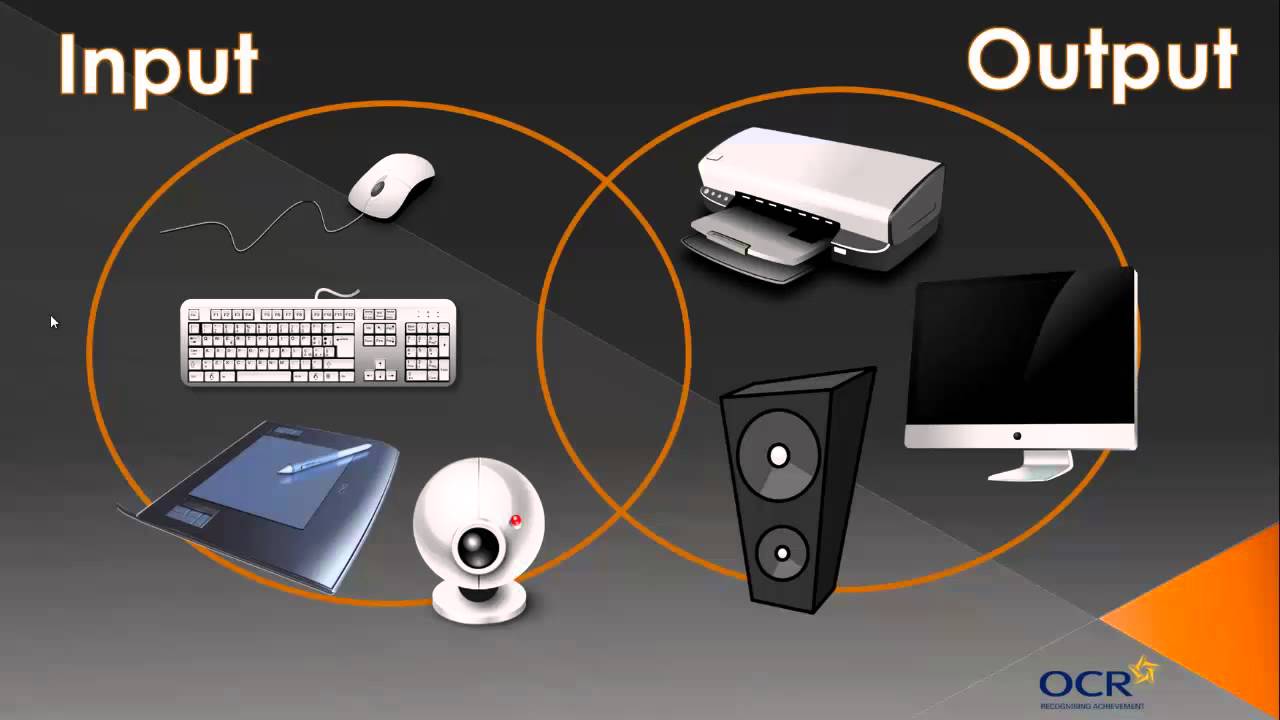
An input device is any piece of computer hardware used to provide data to a computer system. Examples include:

  • keyboard
  • mouse
  • scanner
  • digital camera
  • webcam

Output devices

An output device is any piece of computer hardware used to communicate the results of data that has been processed. Examples include:

  • monitor
  • printer
  • speaker
  • headphones

Storage devices

A storage device is a piece of computer equipment which can be used to store data. Examples include:

  • hard disk drive
  • DVD drive
  • USB stick

Task: Input -> Process <-> Storage -> Output Diagram

Create a diagram like the one below showing input devices connected to a processing and storage device which is in turn connected to output devices like the one below. Notice that is missing any visible storage devices add in ones you have learned about and label them appropriately
modelling


  • Learning Objectives

  • I can recall a variety of input and output devices
  • I can explain what an input and output device is
  • I can explain what up to 3 input and output devices do
  • I can recall one storage device
  • I can identify multiple storage devices
  • I can describe a storage device

Input devices

An input device is any piece of computer hardware used to provide data to a computer system. Examples include:

  • keyboard
  • mouse
  • scanner
  • digital camera
  • webcam

Output devices

An output device is any piece of computer hardware used to communicate the results of data that has been processed. Examples include:

  • monitor
  • printer
  • speaker
  • headphones